
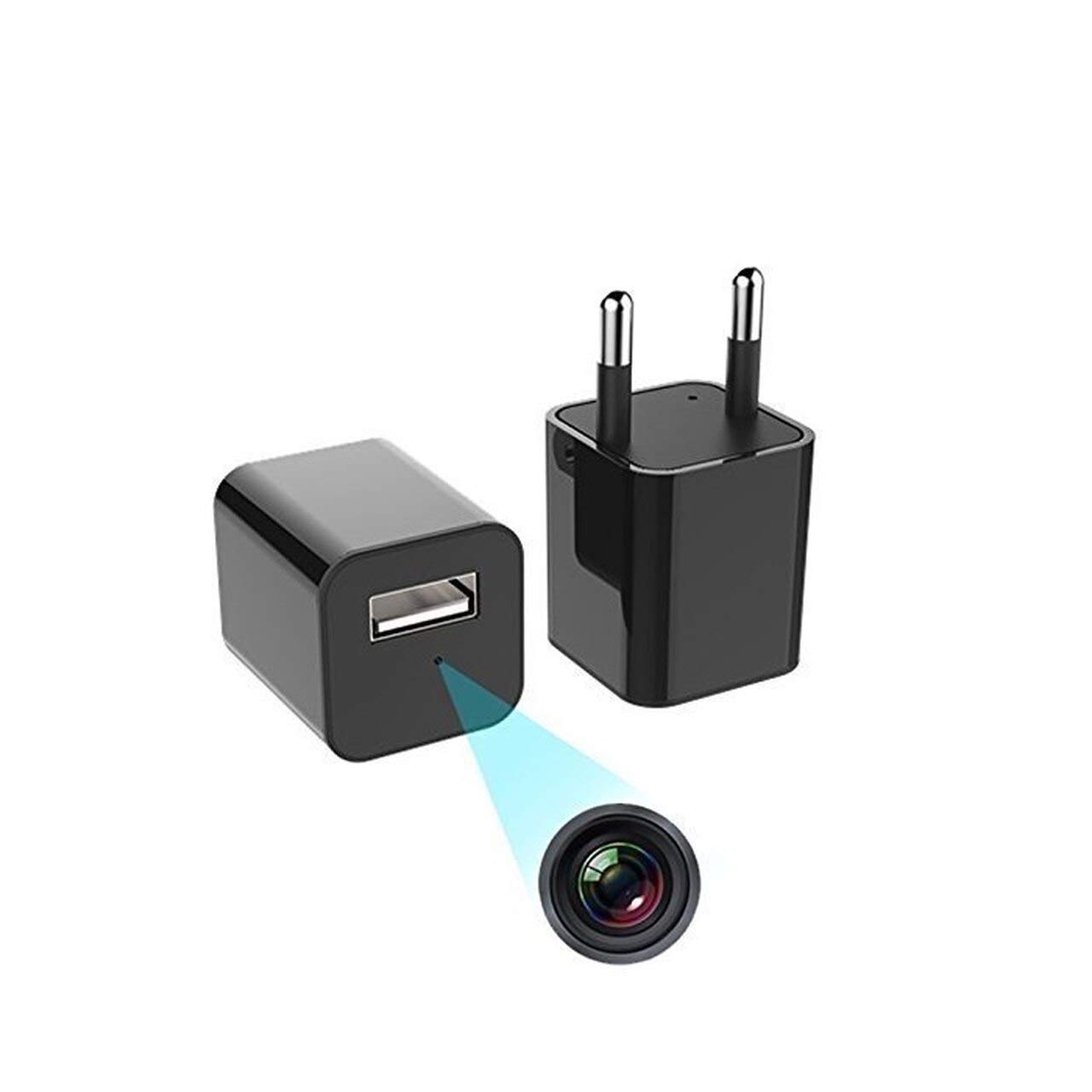
Wall Charger Camera with Motion Detection
KShs 4,199.00
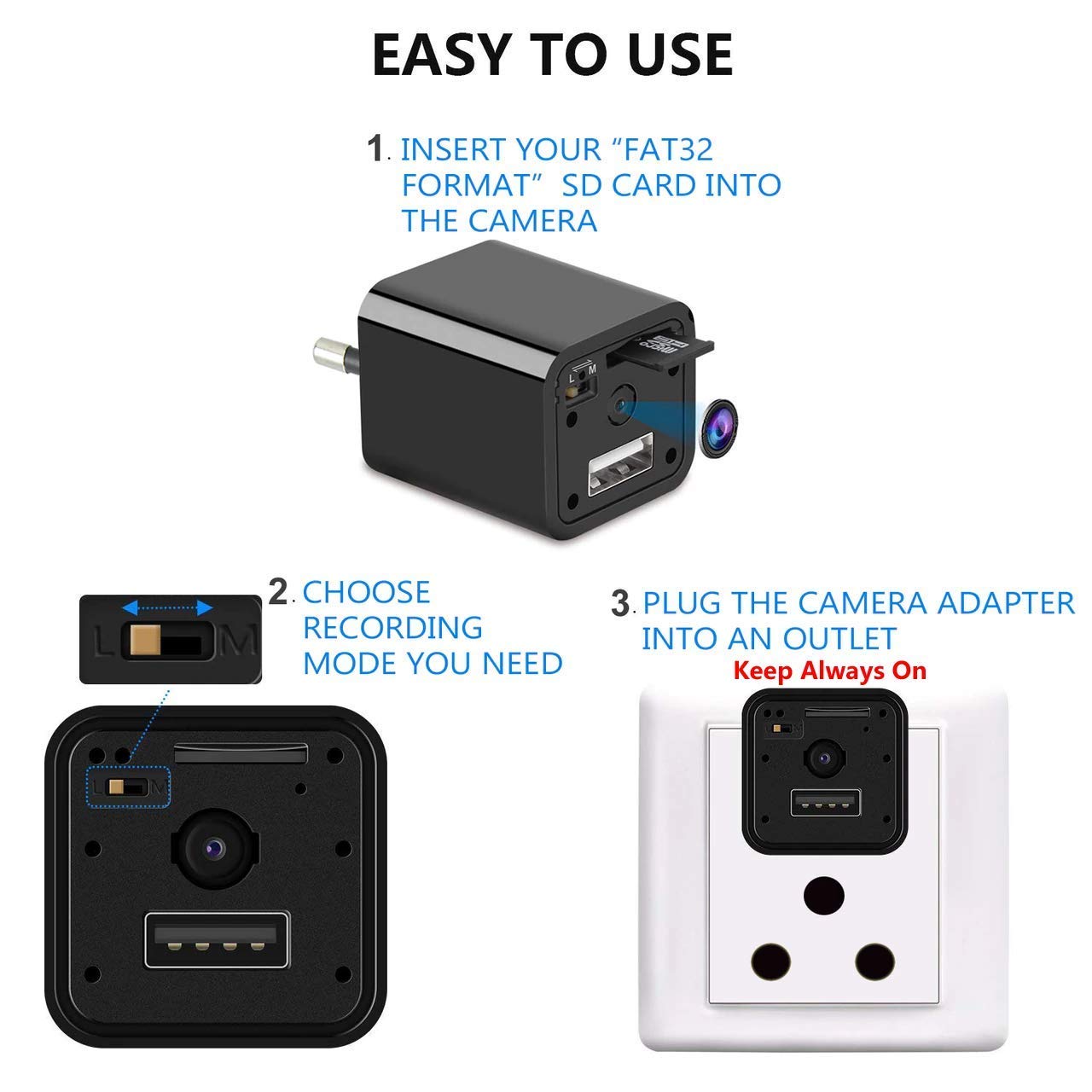
- [Easy to use]: The plug & play camera is support FAT32 format SD card and requires no prior setting. Insert SD card, plug the device into a power socket and the video recording will begin. The recording will cease the moment the device is unplugged. The video content recorded on the SD card can be viewed by connecting the USB device to a computer/ with OTG connector to Mobile.
- [Where to use]: Ideal for monitoring staff at office, godown, etc., prevention of theft / shop lifting, or to keep an eye on movement of specially-abled, elders and children in the family, pets, and others at home.
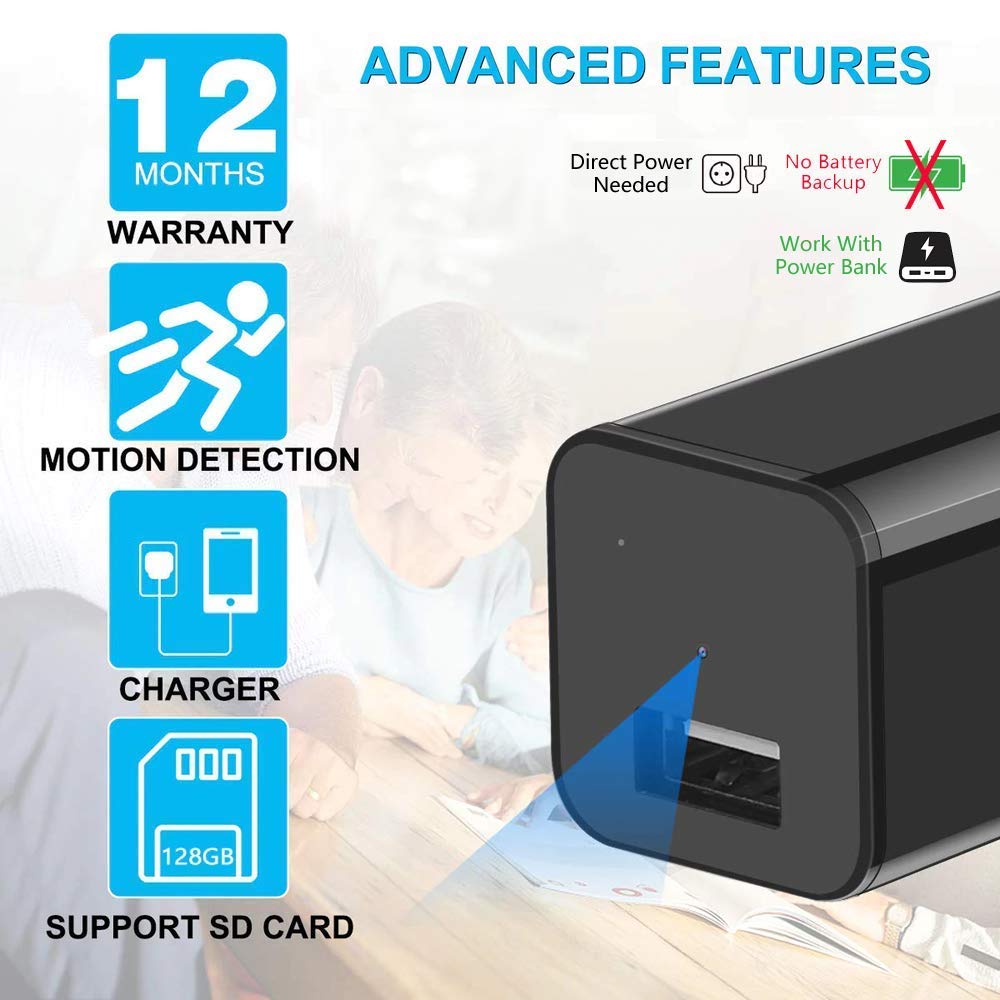
- [HD quality audio/video]: The HD 1920*1080p colour video camera gives 70° viewing with 30 frames per second (FPS) AV output, generating HD quality video content.
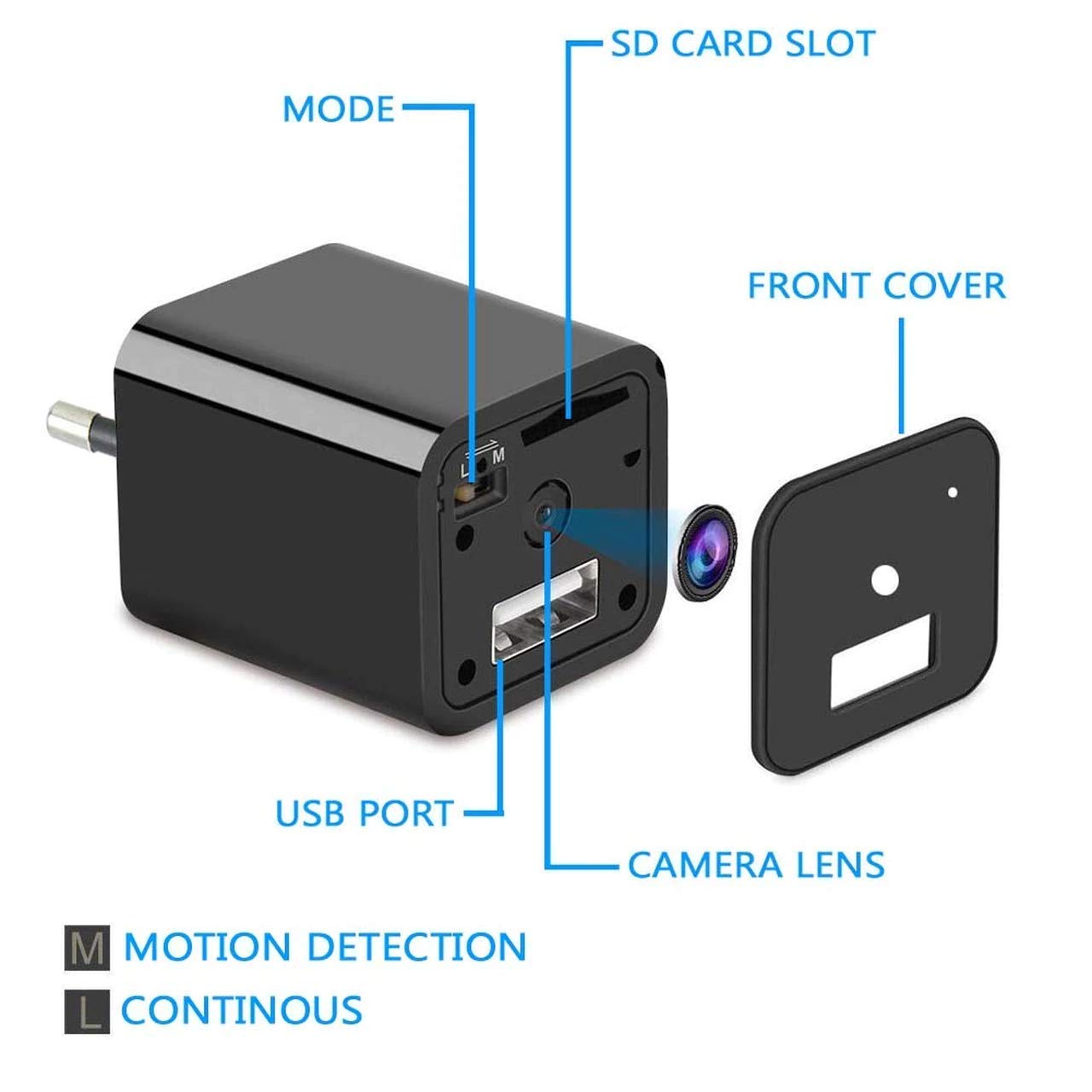
- [Smart motion detection (M)]: The camera will start to record the moment it detects motion. This will save space on the SD card, and make viewing of essential content easier.
- [Recording in loop (L)]: The camera recording will run seamlessly in loops, wherein after the SD card runs out of maximum storage (128 GB), fresh video content will be overwritten on earlier content. [Any location]: The USB can be connected to a power-bank, allowing for the camera to be used at any location. The USB can also be used to charge mobile phones.
More items from this sellerView All

Description
- Key Details
- 1080p HD audio/video recording
- 70° wide angle camera
- Support FAT32 formatted SD card (SD card not provided with device)
- Two Recording Modes: Loop Record, Motion Based Recording
- No Wi-Fi or Bluetooth connectivity (check other IFITech models)
- Camera records multiple videos, of each file is of 3-minute duration
How To Set Date and Time?
Connect the camera to a Laptop/PC with USB wire given or card reader, as shown in image.
Open the SD card drive and there will be file with name “TIMEREST”
Open the File in “NotePad”
Change the current date and time
date is in YYYYMMDDHHMMSS format
Customer Reviews
Vendor Info
More Offers
No more offers for this product!Store Policies
Shipping Policy
Refund Policy
Cancellation / Return / Exchange Policy
Inquiries
General Inquiries
There are no inquiries yet.
Related products
More Products-
ELM 327 Car Diagnosis Tool
KShs 1,799.00
0.0 Average Rating Rated (0 Reviews)
Only logged in customers who have purchased this product may leave a review.